
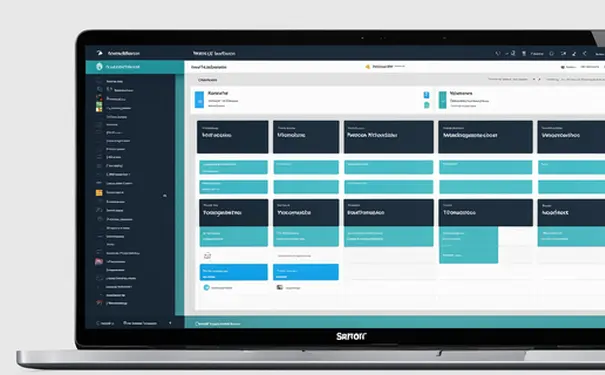

羊驼77js是什么、如何使用
羊驼77js是一款基于JavaScript的表单生成工具,它可以通过简单的配置生成复杂的表单结构,易用性强、灵活性高、功能丰富。其中,易用性强是其最大的优势,开发者只需通过简单的配置文件即可生成所需表单,免去繁琐的手工编码过程。下面详细介绍如何使用这一工具来简化表单开发工作。
一、羊驼77js的基本概念和特性
羊驼77js(Alpaca Forms)是一款开源的JavaScript库,用于快速生成基于JSON Schema的表单。它的主要特性包括:
- JSON Schema支持:羊驼77js支持使用JSON Schema来定义表单的结构和验证规则。
- 强大的UI控件库:提供多种UI控件,如文本框、日期选择器、下拉菜单等,可以满足多种复杂表单需求。
- 数据绑定:支持与后端数据进行双向绑定,简化数据处理流程。
- 可扩展性:可以通过插件和自定义控件扩展其功能。
- 跨平台兼容:支持在多种平台和浏览器中使用。
这些特性使得羊驼77js成为开发复杂表单应用的利器。
二、安装和初始化
使用羊驼77js首先需要在项目中引入它的依赖。可以通过npm或直接在HTML中引用CDN链接来安装。
<!-- 引入CSS -->
<link rel="stylesheet" href="https://cdn.jsdelivr.net/npm/alpaca@1.5.27/dist/alpaca/bootstrap/alpaca.min.css">
<!-- 引入JavaScript -->
<script src="https://cdn.jsdelivr.net/npm/alpaca@1.5.27/dist/alpaca/bootstrap/alpaca.min.js"></script>
在HTML中添加一个容器元素用于渲染表单:
<div id="form-container"></div>
然后,在JavaScript代码中初始化羊驼77js:
$(document).ready(function() {
    $("#form-container").alpaca({
        "schema": {
            "title": "Person",
            "description": "A simple person schema",
            "type": "object",
            "properties": {
                "name": {
                    "type": "string",
                    "title": "Name"
                },
                "age": {
                    "type": "number",
                    "title": "Age"
                }
            },
            "required": ["name", "age"]
        },
        "options": {
            "form": {
                "buttons": {
                    "submit": {
                        "title": "Submit",
                        "click": function() {
                            alert("Form submitted!");
                        }
                    }
                }
            }
        }
    });
});
三、配置表单结构和验证规则
羊驼77js通过JSON Schema定义表单的结构和验证规则。JSON Schema是一种用于描述JSON数据结构的标准格式,支持数据类型、字段必填、字段格式等多种验证规则。
{
    "schema": {
        "title": "Registration Form",
        "type": "object",
        "properties": {
            "username": {
                "type": "string",
                "minLength": 3,
                "maxLength": 20,
                "title": "Username",
                "description": "Enter your username"
            },
            "email": {
                "type": "string",
                "format": "email",
                "title": "Email",
                "description": "Enter your email address"
            },
            "password": {
                "type": "string",
                "minLength": 6,
                "title": "Password",
                "description": "Enter your password"
            },
            "confirm_password": {
                "type": "string",
                "minLength": 6,
                "title": "Confirm Password",
                "description": "Re-enter your password"
            }
        },
        "required": ["username", "email", "password", "confirm_password"]
    },
    "options": {
        "form": {
            "buttons": {
                "submit": {
                    "title": "Register",
                    "click": function() {
                        alert("Registration successful!");
                    }
                }
            }
        },
        "fields": {
            "username": {
                "placeholder": "Enter username"
            },
            "email": {
                "placeholder": "Enter email"
            },
            "password": {
                "type": "password",
                "placeholder": "Enter password"
            },
            "confirm_password": {
                "type": "password",
                "placeholder": "Re-enter password"
            }
        }
    }
}
四、自定义UI控件和布局
羊驼77js支持通过自定义UI控件和布局来满足不同的表单需求。可以通过配置options对象来定制表单的外观和行为。
{
    "options": {
        "fields": {
            "username": {
                "type": "text",
                "label": "User Name",
                "placeholder": "Enter your username",
                "helper": "This will be your login username"
            },
            "email": {
                "type": "email",
                "label": "Email Address",
                "placeholder": "Enter your email"
            },
            "password": {
                "type": "password",
                "label": "Password",
                "placeholder": "Enter your password"
            },
            "confirm_password": {
                "type": "password",
                "label": "Confirm Password",
                "placeholder": "Re-enter your password"
            }
        },
        "form": {
            "buttons": {
                "submit": {
                    "title": "Register",
                    "click": function() {
                        alert("Form submitted!");
                    }
                }
            }
        }
    }
}
五、数据绑定和处理
羊驼77js支持与后端数据进行双向绑定,使得表单数据处理更加简便。可以通过配置data对象来初始化表单数据,并在表单提交时获取表单数据。
$(document).ready(function() {
    var initialData = {
        "username": "JohnDoe",
        "email": "john.doe@example.com"
    };
    $("#form-container").alpaca({
        "schema": {
            "title": "User Profile",
            "type": "object",
            "properties": {
                "username": {
                    "type": "string",
                    "title": "Username"
                },
                "email": {
                    "type": "string",
                    "format": "email",
                    "title": "Email"
                }
            },
            "required": ["username", "email"]
        },
        "options": {
            "fields": {
                "username": {
                    "placeholder": "Enter your username"
                },
                "email": {
                    "placeholder": "Enter your email"
                }
            },
            "form": {
                "buttons": {
                    "submit": {
                        "title": "Save",
                        "click": function() {
                            var formData = $("#form-container").alpaca().getValue();
                            console.log(formData);
                        }
                    }
                }
            }
        },
        "data": initialData
    });
});
六、扩展和自定义
羊驼77js允许开发者通过插件和自定义控件来扩展其功能。可以创建自定义的UI控件、验证规则和数据处理逻辑。
Alpaca.registerFieldClass("customField", Alpaca.Fields.TextField.extend({
    getFieldType: function() {
        return "customField";
    },
    setup: function() {
        this.base();
        this.options.placeholder = "Custom field placeholder";
    },
    postRender: function(callback) {
        this.base(callback);
        $(this.field).addClass("custom-field-class");
    }
}));
$(document).ready(function() {
    $("#form-container").alpaca({
        "schema": {
            "type": "object",
            "properties": {
                "customField": {
                    "type": "string",
                    "title": "Custom Field"
                }
            }
        },
        "options": {
            "fields": {
                "customField": {
                    "type": "customField"
                }
            }
        }
    });
});
七、实际应用中的案例分析
在实际项目中,表单的需求往往更加复杂,可能涉及多种字段类型、动态表单生成、复杂的验证规则等。下面通过一个实际案例来展示如何利用羊驼77js来实现一个复杂的注册表单。
案例介绍
假设我们要实现一个包含以下字段的注册表单:
- 用户名
- 电子邮件
- 密码
- 确认密码
- 生日
- 性别
- 爱好
实现步骤
- 定义表单结构
var schema = {
    "title": "User Registration",
    "type": "object",
    "properties": {
        "username": {
            "type": "string",
            "minLength": 3,
            "maxLength": 20,
            "title": "Username"
        },
        "email": {
            "type": "string",
            "format": "email",
            "title": "Email"
        },
        "password": {
            "type": "string",
            "minLength": 6,
            "title": "Password"
        },
        "confirm_password": {
            "type": "string",
            "minLength": 6,
            "title": "Confirm Password"
        },
        "birthday": {
            "type": "string",
            "format": "date",
            "title": "Birthday"
        },
        "gender": {
            "type": "string",
            "enum": ["Male", "Female", "Other"],
            "title": "Gender"
        },
        "hobbies": {
            "type": "array",
            "items": {
                "type": "string"
            },
            "title": "Hobbies"
        }
    },
    "required": ["username", "email", "password", "confirm_password"]
};
- 配置表单选项
var options = {
    "fields": {
        "username": {
            "placeholder": "Enter username"
        },
        "email": {
            "placeholder": "Enter email"
        },
        "password": {
            "type": "password",
            "placeholder": "Enter password"
        },
        "confirm_password": {
            "type": "password",
            "placeholder": "Re-enter password"
        },
        "birthday": {
            "picker": {
                "format": "MM/DD/YYYY"
            }
        },
        "gender": {
            "type": "select",
            "optionLabels": ["Male", "Female", "Other"]
        },
        "hobbies": {
            "type": "checkbox",
            "optionLabels": ["Reading", "Traveling", "Cooking"]
        }
    },
    "form": {
        "buttons": {
            "submit": {
                "title": "Register",
                "click": function() {
                    var formData = $("#form-container").alpaca().getValue();
                    console.log(formData);
                }
            }
        }
    }
};
- 初始化表单
$(document).ready(function() {
    $("#form-container").alpaca({
        "schema": schema,
        "options": options
    });
});
总结
通过上面的案例可以看到,利用羊驼77js可以快速生成一个复杂的注册表单,并且可以通过配置文件灵活定制表单的结构、验证规则和UI控件。在实际项目中,还可以结合后端数据进行双向绑定,实现更加复杂的表单应用。
八、推荐项目团队管理系统
在开发和管理复杂表单应用的过程中,使用高效的项目团队管理系统可以大大提高开发效率和团队协作能力。这里推荐两款优秀的项目管理系统:研发项目管理系统PingCode和通用项目协作软件Worktile。
- 研发项目管理系统PingCode:专为研发团队设计,支持需求管理、任务管理、缺陷管理、代码管理等多种功能,帮助研发团队高效协作,提升项目交付质量。
- 通用项目协作软件Worktile:适用于多种团队和项目类型,支持任务管理、文件共享、团队沟通等功能,帮助团队高效协作,提升工作效率。
通过以上介绍,希望能够帮助您更好地理解和使用羊驼77js来开发复杂表单应用,同时借助高效的项目管理系统提高团队协作效率和项目交付质量。
相关问答FAQs:
1. 羊驼77js是什么?有什么特点?
羊驼77js是一种前端开发工具,它具有简单易用、高效快速的特点。它可以帮助开发者快速构建网页和应用程序,提供了丰富的功能和组件,使开发过程更加便捷。
2. 如何开始使用羊驼77js?
要开始使用羊驼77js,首先你需要将其引入到你的项目中。你可以通过下载源码并在你的HTML文件中引入相关的JavaScript文件。然后,你可以根据羊驼77js的文档和示例代码,学习如何使用它的各种功能和组件。
3. 羊驼77js有哪些常用的功能模块?
羊驼77js提供了许多常用的功能模块,包括但不限于:表单验证、动画效果、数据请求、页面布局等。你可以根据你的需求选择适合的模块,并按照文档中的指引使用它们。如果你在使用过程中遇到问题,可以查阅羊驼77js的文档或寻求社区的帮助。
文章包含AI辅助创作,作者:Edit2,如若转载,请注明出处:https://docs.pingcode.com/baike/3642463

